
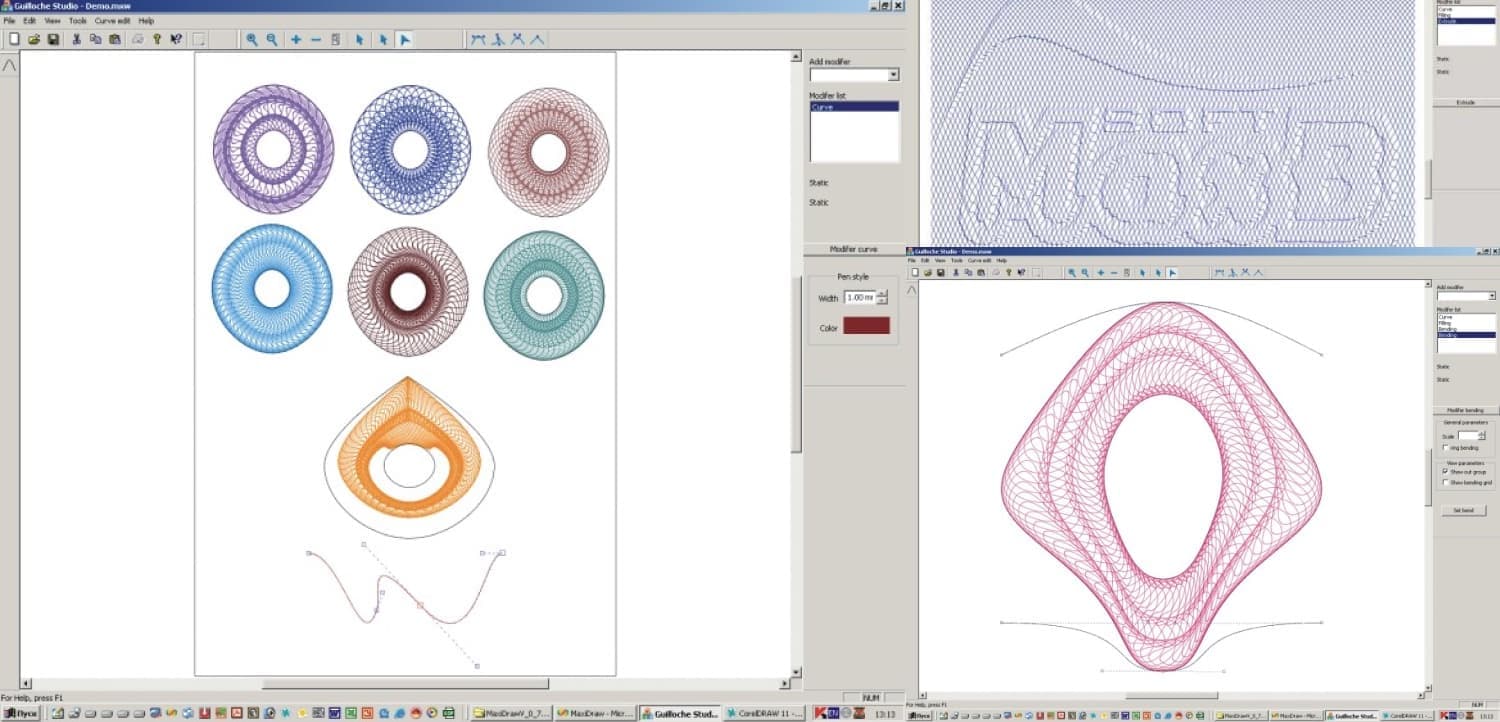
"Guilloche Studio" Vector Editor for Creating Guilloche Security Elements
Guilloche is a specialized document protection technology that uses compositions of guilloche elements placed on the surface of the document that needs protection. Guilloche elements are designs made up of multiple thin curve lines that intersect with each other and are defined by mathematical formulas. These elements can be protective grids, rosettes, borders, and more. The challenge with existing document preparation software with security elements is that designers have to work with mathematical formulas and a large number of function definition parameters. This requires significant attention to the mathematical aspect of the work and doesn't allow focusing directly on the composition. To address these challenges, I developed the vector editor "Guilloche Studio" for preparing documents with security elements. It effectively works with Bezier curves, broken lines, and tools for creating rosettes, borders, protective grids, etc.
Advantages of this editor compared to existing software:
- Lower computer resources required for operation;
- Design in a WYSIWYG shell;
- User-friendly software interface;
- Use of original algorithms;
- Small image file sizes;
- Compatibility with Adobe suite programs and the ability to export to other graphic formats.
During the development of "Guilloche Studio", I faced a challenge: how to ensure fast and quality display of a large number of Bezier curves with anti-aliasing. This problem was solved by creating a unique graphics engine based on OpenGL. This engine allows designers to easily and accurately create original designs with just a few mouse clicks. The editor is especially useful for preparing unique logos, corporate letterheads, and other documents requiring a high degree of protection.
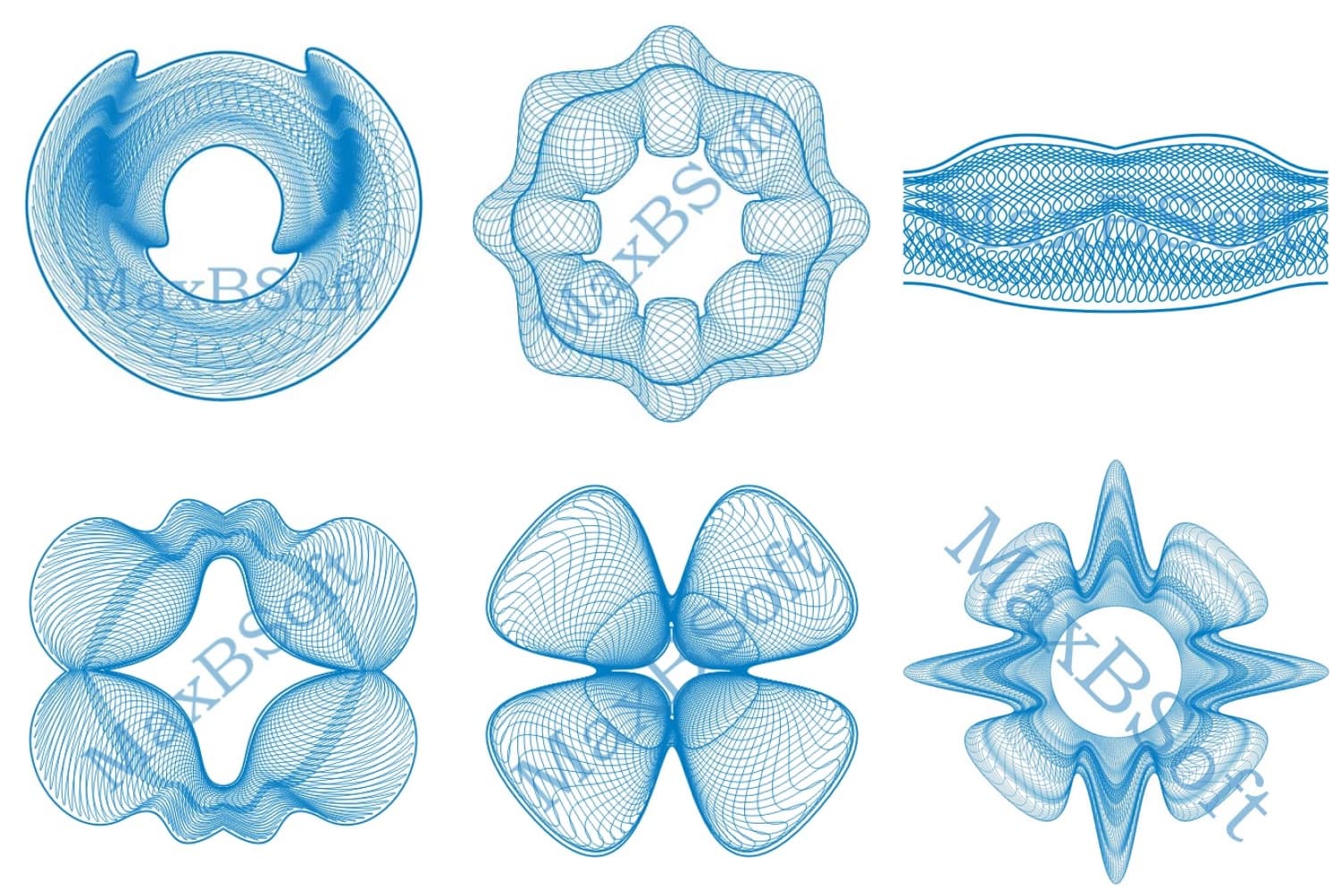
The foundation of the "Guilloche Studio" vector editor is Bezier curves. Bezier curves are a type of smooth curve lines, typically defined by four control points. Their main advantage is the simplicity of calculation. The "Curve" modifier facilitates working with these curves.
The "Curve" modifier allows users to create Bezier curves and broken lines using the mouse. Here, properties such as thickness and color of the curve can be adjusted. This modifier is typically the root, i.e., the starting point.
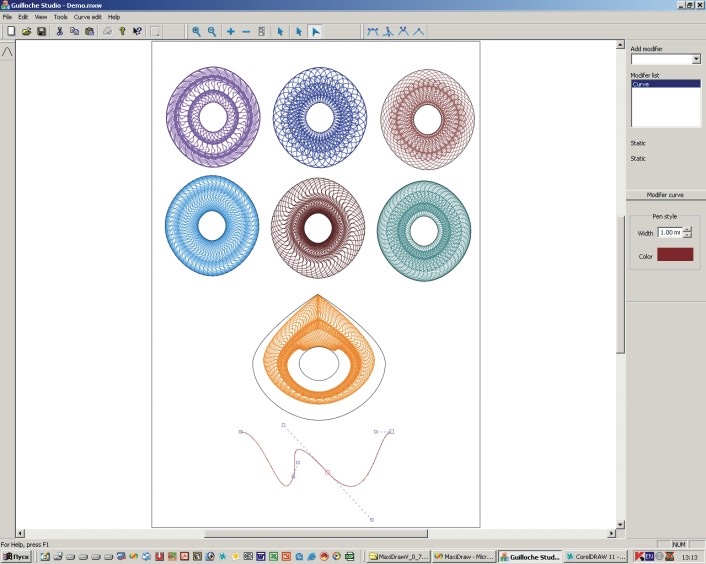
The "Filling" modifier creates fillings based on the "Curve" modifier. The main parameters are the number of curves (step) and frequency.
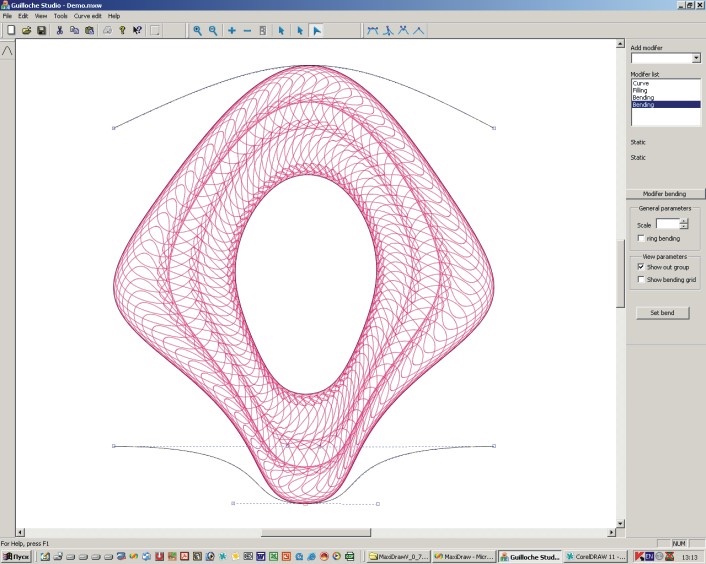
The "Bending" modifier fits any set of curves created by the "Curve", "Filling", and other modifiers into its shell, defined by Bezier curves. It has two modes: tape – for creating borders and ring – for rosettes.
The "Extrude" modifier provides extrusion based on a grid. Users need to provide an image in BMP format and a few extrusion parameters.
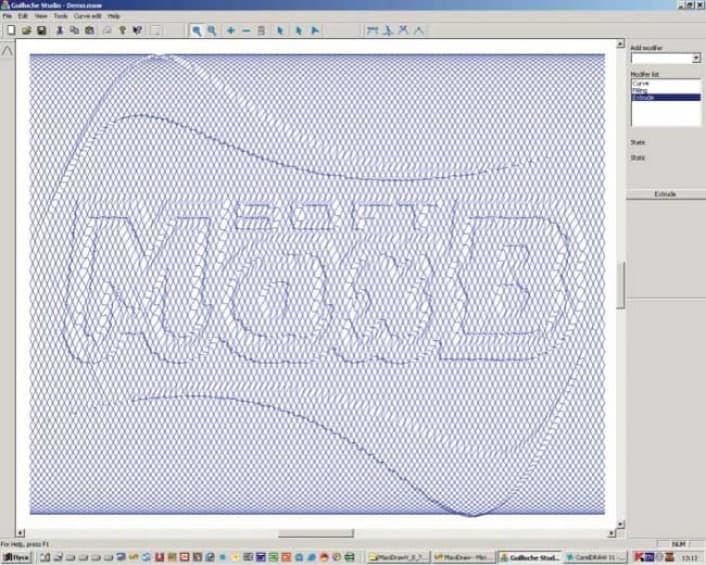
The "Symmetry" modifier creates symmetry for any design.
Users of this editor can create guilloche elements and guilloche compositions using the WYSIWYG technology.
The "Guilloche Studio" vector editor, thanks to its original algorithms, doesn't require significant computer resources. It can run on a computer with a 500 MHz processor, 128Mb RAM, and 8 Mb video memory under the Windows 2000/XP/2003 operating systems. Since the software was developed for Windows, the guilloche editor has a standard window interface.
The software's output is saved in a specially developed file format that only retains the information necessary for object recovery. This makes the file sizes much smaller than if the same design were saved in standard vector formats. The editor's functionality has been expanded, achieving the ability to export outputs in the Adobe Illustrator (*.ai) format, with further saving and exporting options in any compatible graphic format.
The Guilloche Studio program is written in C++ using the Microsoft Visual Studio 2003 .NET environment. The MFC library was used. The graphics output engines utilized are OpenGL, GDI+, and GDI.
The uniqueness of the guilloche technology is that the created documents are very difficult to copy using copier duplicating equipment due to the large number of thin lines that intersect with each other. The developed "Guilloche Studio" vector editor effectively meets these requirements, setting it apart among the best software of its kind.
The possibility of further enhancement of the editor is being considered: integration of additional modules, support for new export formats, as well as the ability to import designs from other vector graphics software, text processing, and other functions.
References
- Hill, F. Computer Graphics Programming for Professionals. Original Edition.
- MFC and Visual C++6: The Programmer's Encyclopedia. A Guide to Business Application Development. Original Edition.